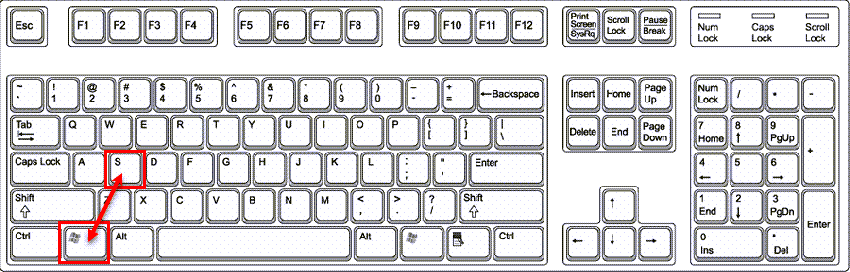
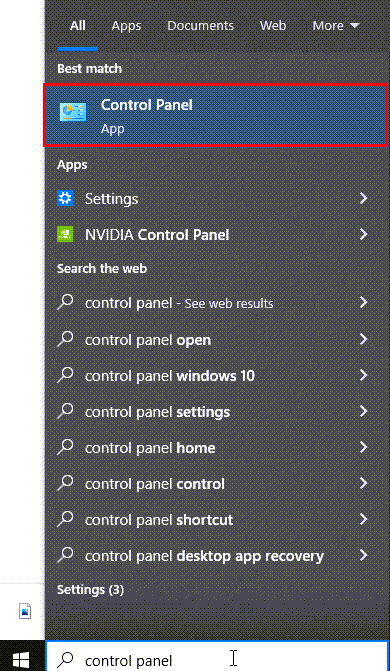
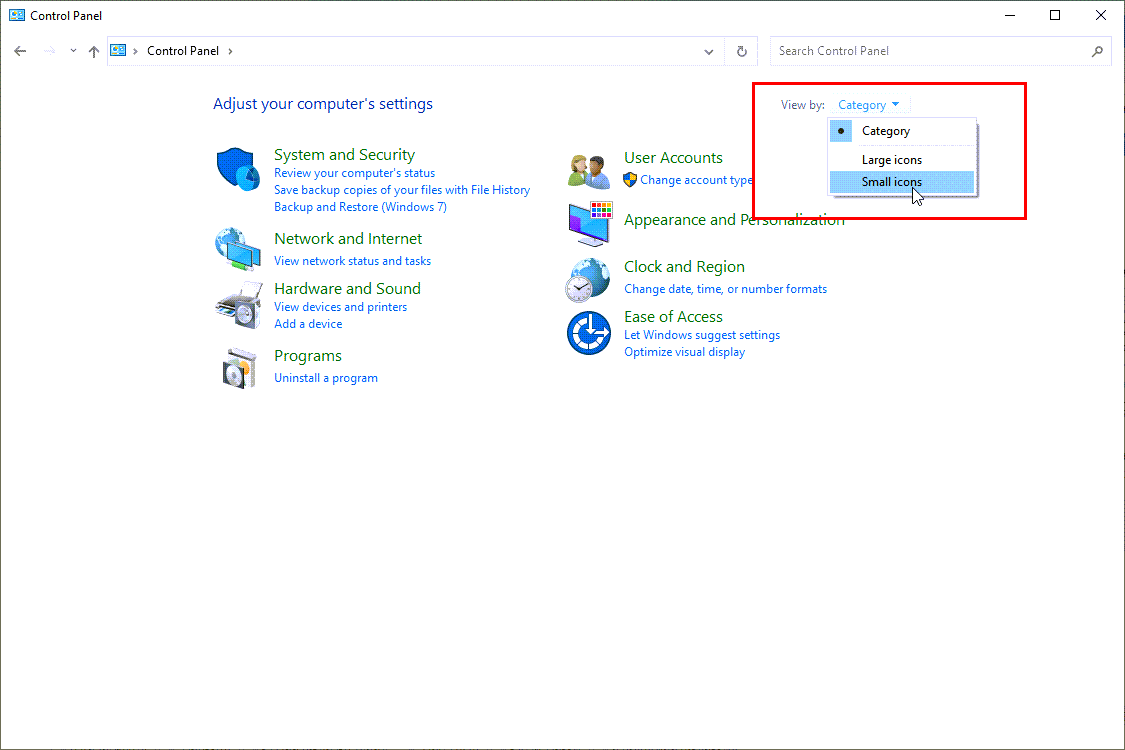
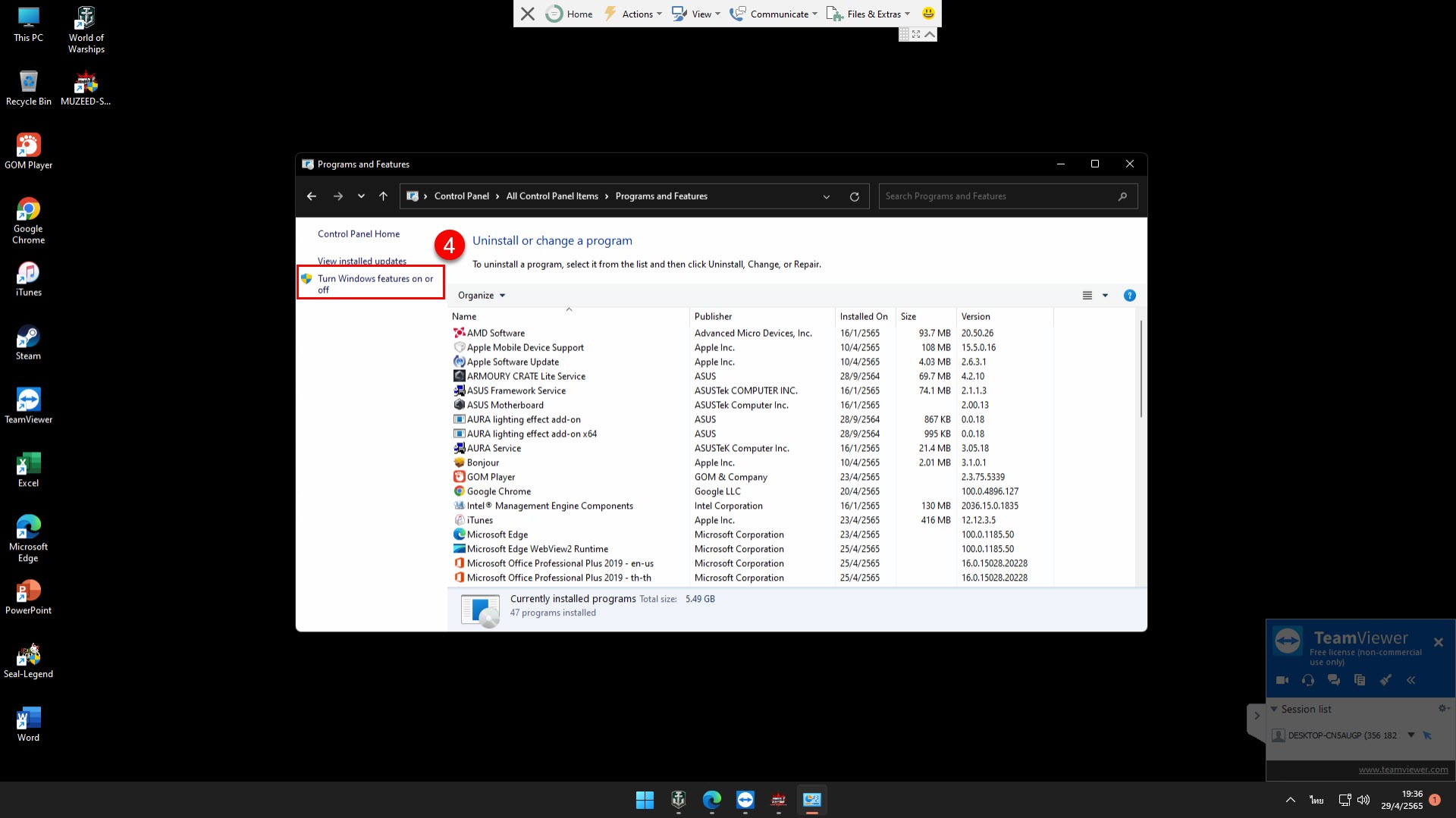
ไปที่แว่นขยายของ Windows หรือ กดปุ่ม Windows + S แล้วเพิ่ม Control Panel จากนั้นกดที่ View by: เลือก Small icons เลือก Programs and Features เลือก Turn Windows features on or off ติกถูกที่ ในโฟรเดอร์ .NET Framework ทั้งหมดแล้วกด OK
คู่มือ คู่มือ อัพขั้นสัตว์ ม้าผี อัพเป็น มังกร มังกร อัพเป็น สิงโต สิงโต อัพเป็น จิ้งจอก เปอร์เซ็นต์การตีติด +15 ติด100 +14 ติด 90 +13 ติด 80 +12 ติด 70 +11 ติด 60 28 มี.ค. 2566 2,282
คู่มือ คู่มือ การอัพมาส การอัพมาส มี 3 ขั้น มาสคือสกิลติดตัว เลเวลเพิ่ม 1 เลเวล เราจะได้คะแนนสกิลมา 1 คะแนนไว้อัพ 1.มาส 3 เวล 400-800 ถ้าต้องการรีมาส 3 ให้ใช้ใบรีมา… 5 ต.ค. 2569 25
คู่มือ คู่มือ เปลี่ยนคลาส การเปลี่ยนคลาสทั้งหมด มี 8 ครั้ง 1.150 ตีมอนหน้าเมือง ซื้อของจากเมือง Lorencia เอาไปทำเควสหมดทุกอย่าง **ยกเว้น อาชีพ ลอร์ด/เมจิก** 2.220 เคว… 5 ต.ค. 2569 54